What do you want to build? Describe what you want to build, work through it with AI agents, and review the result before you publish.
Try an example prompt Chrome extension Barbershop booking site Cinematic landscape
barbershop · Build Depot
A booking site for my barbershop, with opening hours I can change
Plan · 3 parts, one agent each Merged Merged Building Ask for a change↵
NORTHLINEBARBER & GROOMING
GOOD PEOPLE. GREAT CUTS. Look sharp. A neighbourhood chair.
Book your chair ↗ TUE—SAT 9AM—7PM
CUTS Plan first See the plan before anything is built Parallel agents One per part, each in its own branch Live preview Review every change running One-click undo Take back any merged change How it works
From a sentence to a running app 1 Describe it Say what you want in plain words. Add screenshots, PDFs, data or code to a request.
2 Approve the plan A read-only planner writes the goal, the parts, the files and the risks. Start, change or cancel it.
3 Review and publish Agents build each part. You read the changes, try the live preview and publish when it is right.
Features
Everything between an idea and a running app Plan first Review a short plan before work begins. Start the work, revise the request, or cancel.
Plan Goal: online booking with editable hours 3 parts · 9 files Risk: confirmation emails need a sender Start Change the plan Cancel
Team mode A lead agent starts one helper per part, merges their work into one branch and checks the result.
Booking pages Merged
Opening hours admin Merged
Email confirmations Building
checks passed
Live preview The running app beside the chat, for any task’s changes or the main branch.
Preview · main
object/studio Objects Journal Bag (0)
THE EVERYDAY COLLECTION Less, butlovelier. Objects worth making room for.
Discover the collection ↗ Natural materials.
The Circle Vase $48
Undo Take back any merged change with one click.
Opening hours admin Merged 2 minutes ago
↶ Undo Work together Owners, admins, members and viewers, each allowed exactly what their role needs.
A OwnerM AdminJ MemberR Viewer
Stay in control Agents never push or deploy on their own. You choose what merges.
Merge on its own
Ask before deploying
Ask before touching secrets
See all features
Explore templates Pick a design direction. Start with its prompt.
All Websites Apps Media
NORTHLINEBARBER & GROOMING
GOOD PEOPLE. GREAT CUTS. Look sharp. A neighbourhood chair.
Book your chair ↗ TUE—SAT 9AM—7PM
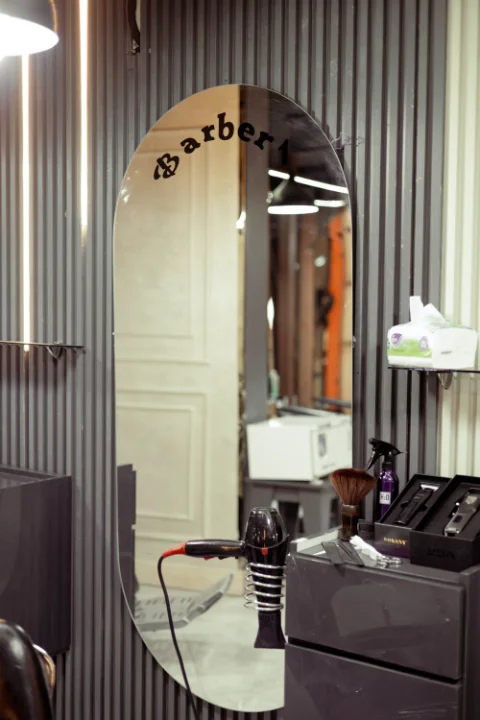
CUTS
Barbershop booking Northline Use prompt
FORM & FIELD Our work Studio Contact ↗
HOMES WITH INTENTION
Space tolive differently. Explore our work ↗
Contractor website FORM & FIELD Use prompt sunday. Menu Our story Visit us ↗
YOUR DAILY LITTLE RITUAL
Good things.Slow mornings. BAKED Coffee, pastries & a seat by the window. See the menu ↗
Café & menu Sunday Use prompt Workspace / Overview ⌕ ◉
Business overview Here's how your store is doing.
May 1 – 31, 2026 ▾ Total revenue $48,295.00 ↗ 12.8% vs. last month
Orders 1,248 ↗ 8.2% vs. last month
Conversion 3.64% ↗ 2.1% vs. last month
Revenue ● This month ● Last month
May 1 May 8 May 15 May 22 May 31
Sales by channel Total1,248
64%
24%
12%
Recent orders View all → ORDER CUSTOMER STATUS AMOUNT
#1028 Olivia Martin Paid $124.00
#1027 Jackson Lee Paid $89.00
Sales dashboard Metric Use prompt object/studio Objects Journal Bag (0)
THE EVERYDAY COLLECTION Less, butlovelier. Objects worth making room for.
Discover the collection ↗ Natural materials.
The Circle Vase $48
Online store OBJECT / STUDIO Use prompt EP. Selected work About Get in touch ↗
ELENA PARK / PHOTOGRAPHY
Beyondthe frame. Portraits. People. Perspective. EDITORIAL SERIES 01 / 08
↓ SELECTED WORK
Creative portfolio ELENA PARK Use prompt Show all 9 templates
What is Build Depot? Build Depot is a workspace for building websites and apps with AI. Describe the project in chat, preview the result, and review changes before you publish.
What does it cost? Each plan includes some agent usage every month, and admins can cap what the team spends. The pricing page shows what each plan includes.
Can I choose how the agent works? Yes. Use the default settings or choose an available model and effort level for each request.
Is my code safe? Each agent works in its own copy of your project, and can run in a locked-down container. Agents never push or deploy on their own, and admins choose who can run, merge and deploy.
Can I bring my own repository? Yes. Start from an empty project, clone a Git repository, or connect GitHub and work on an existing one.
Do I need to know how to code? No, you can describe what you want in plain words and try the result in the live preview. Knowing some code helps when you review changes, and every change is there to read.
Start with a sentence Tell Build Depot what you want. You see the plan first, and nothing ships without your say.

 CUTS